JavaScript Arrays 101
Introduction
An Array is an ordered collection of elements separated by comma. It's a mutable data type in JavaScript.
Example:
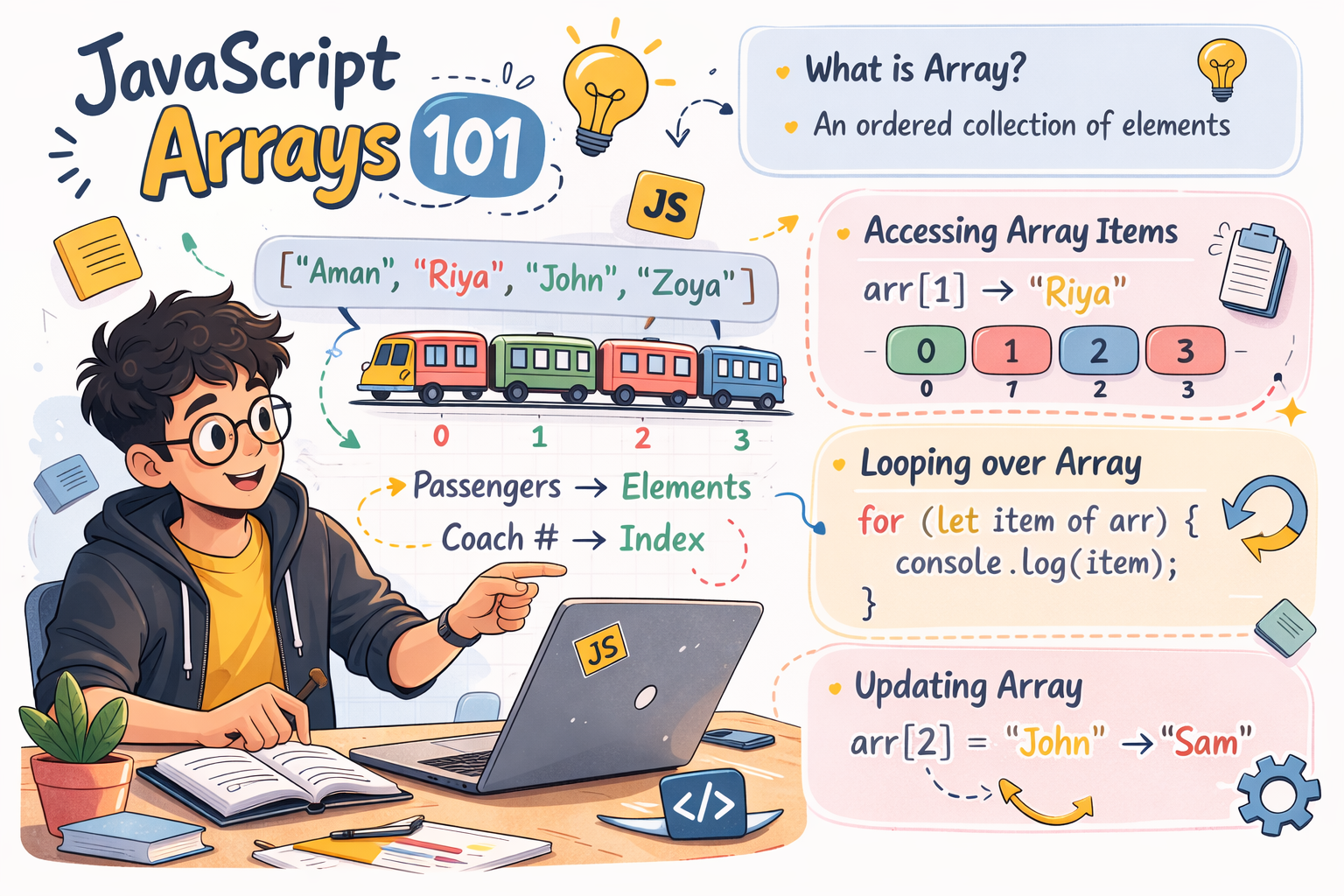
Think of a train with many coaches Each coach carries different passengers and every coach has a number.
Train --> Array
Passengers --> Array elements
Coach number --> index
Now imagine if arrays didn’t exist. We would have to store each passenger’s details in separate variables, which would make the codebase very cluttered and difficult to manage.
So basically an Array stores multiple elements in a single variable in an organized way
What is an Array?
Array is an single variable used to store an ordered collection of multiple values.
In JavaScript Array is an special object with built-in methods for working with ordered data.
Using Array we can store multiple type of data whether it can be : String, Number, Object, Boolean or even Arrray itself.
In Array every element is separated by "," comma and every element has a index value.Unlike arrays in some other languages, JavaScript arrays's size is dynamic it means if we add or remove any element it's size will automatically updates.
Example:
const fruits = ["Mango", "Apple", "Melon"]
How to create an Array?
There are 2 ways to create an Array in JavaScript:
Literal Notation
Array Constructor
Liternal Notation
Liternal Notation uses square brackets [] to create an Array, It is recommended and most common approach,
To create an Array we can initialize array using empty [] brackets or with initial values.
Creating an empty array:
const myArray = [];
Creating an array with initial values:
const fruits = ["Banana", "Orange", "Apple", "Mango"];
Array Constructor
We can also create Array using Array Constructor in JavaScript.
For that we have to use the new keyword with the built-in Array() constructor.
This method works fine, but it also has some drawbacks let's understand with simple code examples:
Creating an empty array:
const myArray = new Array();
Creating an array with initial values:
const fruits = new Array("Banana", "Orange", "Apple", "Mango");
Creating an array with a specified length
This is the tricky part. passing a single number creates an array with that number of empty slots, not an array with that number.
const myArray = new Array(5); // Creates an array with 5 empty slots,
To solve this problem we use Array,of() method
Creating array using Array.of() method:
Unlike Array constructor Array.of() will take single number argument and will create Array containing that number.
const number = Array.of(5); // Result: [5]
Accessing elements using index
Every Array element in JavaScript has a index value or you can say has address that start from 0.
const fruits = ["Banana", "Orange", "Apple", "Mango"];
  //                0         1        2        3
In this code example every element inside Array has a index value:
Banana --> 0
Orange --> 1
Apple --> 2
Mango --> 3
We can access any element from their index value, for that we just have use []brackets with that variable name and inside the brackets we just have to put index value of that element
const fruits = ["Banana", "Orange", "Apple", "Mango"];

console.log(fruits[0]) // Result : "Banana"
There is a another way to access array element, it is .at() method which returns element at a particular index.
const fruits = ["Banana", "Orange", "Apple", "Mango"];

let firstFruitAt = fruits.at(1);

console.log(firstFruitAt); // Output: "Orange"
Updating Elements
Array is mutable data type it means we can update existing array.
There are some ways to update existing array let's talk about them with examples:
Bracket Notation
Using bracket notation we can directly access any element by index and assign new value.
const sports = ["Vollyball", "Football", "Cricket", "Badminton"];

fruits[1] = "Grape";

console.log(fruits);

// Output: ["Banana", "Grape", "Apple", "Mango"]
splice() method
By using splice method we can remove or replace existing elements and add new elements in place. It is useful for inserting or replacing elements at any position.
const fruits = ["Banana", "Orange", "Apple", "Mango"];

// Start at index 1, remove 1 element, and insert "Grape" and "Kiwi"
fruits.splice(1, 1, "Grape", "Kiwi");

console.log(fruits);
// Output: ["Banana", "Grape", "Kiwi", "Apple", "Mango"]
forEach() loop
Using forEach() loop we can update multiple elements based on condition,
const fruits = ["Apple", "Mango", "Graps"];

fruits.forEach(function (fruit) {
  if (fruit === 'Mango') {
    fruit = "Banana"
  }
});

console.log(fruits);

// Result: ["Apple", "Mango", "Graps"]
Array length property
JavaScipt have provide us an length property which returns the number of elements an array contains.
This property is very useful in real-world applications because many systems store multiple items in an array, and we often need to know how many items it contains.
Example:
Consider the cart feature in an e-commerce website. Every time a user adds a product to the cart is stored in a cart array. The cart counter increases by one to show the total number of items in the cart.
This count is typically obtained using the array’s length property, which returns the total number of elements in the cart array.
To use length property we just need to put .length property to the array and it will return the length.
const fruits = ["Banana", "Orange", "Apple", "Mango"];

console.log(fruits.length) // 4
looping over arrays
Looping over array is very important because this the thing which unlock array's true potential. Instead of manually accessing every element by index, Using loops we can iterate over every element in an array.
Looping over arrays in JavaScript is too easy because JavaScript many buit-in loops for arrays.
Array loops in JavaScript:
for loop
forEach loop
for....of loop
map
filter
reduce
Every loop has their own usecases any advantages
If we talk about basic looping for loop is the most optimized and classic loop
const fruits = ["Banana", "Orange", "Apple", "Mango"];

for(let i=0; i<fruits.length; i++){
    console.log(fruits[i])
}
Banana
Orange
Apple
Mango
Assignments
Task 1: Create an array of your 5 favorite movies and log the result
Task 2: Now print the first and last element using their index value for accessing the last element use array.length - 1
Task 3: Now is the time to update the value, for that access any element from array using index and assign new value, print the updated array and see the result
Task 4: Use same array and print all elements one by one using for loop
Conclusion
In JavaScript, an array is a very important data type. It allows us to store data in a structured way and efficiently send it from server to client and from client to server.
That’s why, as developers, it is important for us to understand the behavior, methods, and properties of arrays.
In this article, we have discussed all the basic concepts of arrays.
Hope you like it❤️


